
Tests
Create and manage test scriptsEdit
Tests are reusable scripts that validate your application. Create browser, API, database, custom, or performance tests.
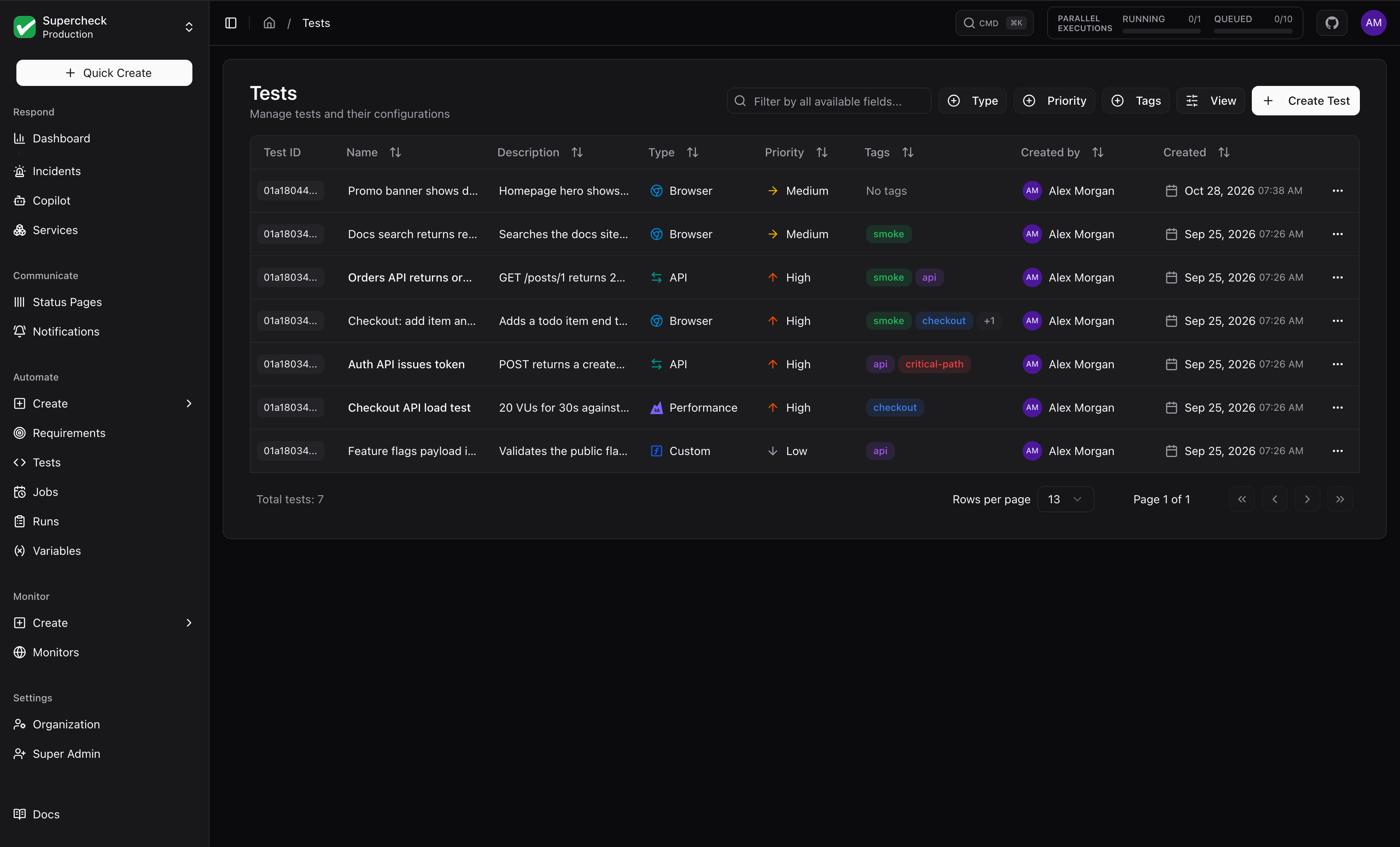
The list shows the newest 200 tests; older tests are not loaded and search and filters only cover the loaded ones. Filter by type, priority, or tag, and use the Created by column to see who created each test.
Test types
Browser Test
Playwright-based UI testing for user flows
API Test
HTTP and GraphQL endpoint validation
Database Test
SQL queries and data validation
Custom Test
Node.js scripts for any scenario
Performance Test
k6 load testing with configurable virtual users and thresholds
Create Test
On Supercheck Cloud, creating tests and saving changes from the Playground requires an active organization subscription and a valid billing customer. These billing checks do not apply to self-hosted installations.
Open Create and select a test type.
Write a script in the Playground, pick one from Templates, or use AI Create for a starting point.
Replace example URLs and data, then select Run.
Review the result and select Save.
After a run completes, review its result and available logs, screenshots, and traces. If it fails, update the script and run it again. You can save a draft before it passes; validate it before adding it to a job or synthetic monitor.
Scroll horizontally to view the full diagram.
AI Features
| Feature | What it does |
|---|---|
| AI Create | Generates tests from plain English descriptions (beta for browser tests) |
| AI Fix | Suggests changes for a failing test; you review before applying |
| Templates | Pre-built scripts for common scenarios |
For browser tests, consider recording with the Supercheck Recorder Extension or Playwright Codegen first, then use AI to enhance.
See Playground for details.
Test Examples
import { expect, test } from '@playwright/test';

const APP_URL = 'https://demo.playwright.dev/todomvc';

test.describe('UI smoke test', () => {
  test('home page renders primary UI', async ({ page }) => {
    // Navigate to the application
    await page.goto(APP_URL);

    // Verify page title and input visibility
    await expect(page).toHaveTitle(/TodoMVC/);
    await expect(page.getByPlaceholder('What needs to be done?')).toBeVisible();

    // Perform interaction: Add a new task
    await page.getByPlaceholder('What needs to be done?').fill('Smoke task');
    await page.keyboard.press('Enter');

    // Verify the task was added to the list
    await expect(page.getByRole('listitem').first()).toContainText('Smoke task');
  });
});Tags
Color-coded, project-scoped tags organize and filter tests.
| Action | How |
|---|---|
| Create | Add a custom tag with a color |
| Filter | Pick tags in the list view |
| Bulk apply or remove | Select several tests |
Execution Limits
| Test type | Maximum runtime per execution |
|---|---|
| Playwright | 5 minutes. Tests exceeding this limit are automatically terminated |
| K6 Performance | 60 minutes, to accommodate load testing scenarios |