
Open-source testing, monitoring, and AI SRE – as code
Playwright and k6 tests, uptime monitors, AI incident response and status pages in one platform. Self-host today, or join the Cloud waitlist.
Check your site for free
Uptime, HTTPS, security headers, DNS and more. No sign-up.
Works with the tools you already use
Test with
- Playwright
- k6
Run from CI
- GitHub Actions
- GitLab CI
Investigate with
- Kubernetes
- Prometheus
- Grafana
- Sentry
- Datadog
Ask from
- Claude
- Cursor
- Codex
Platform
One place for the work between deploy and incident
Tests, uptime, incidents and status pages, sharing one set of projects, alerts and history.
01
Check
A monitor or job with alerts on fails past its threshold.
02
Alert
Your channels are notified.
03
Incident
An incident opens with its alerts.
04
Investigate
AI SRE investigates and cites evidence. You decide the fix.
05
Recover
The check passes and an unacknowledged incident resolves.
Automate
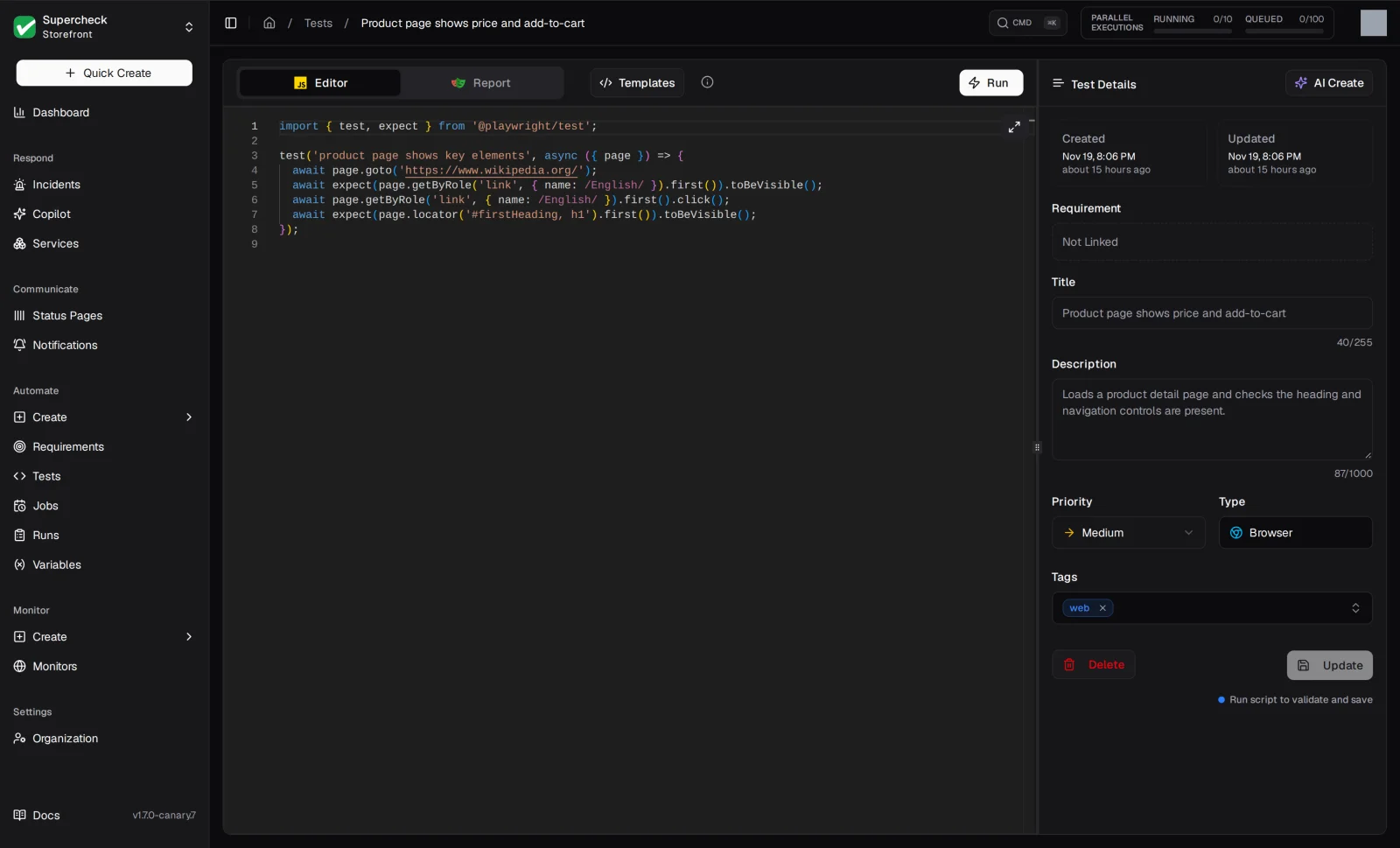
Write, record and run end-to-end and load tests.
- Playwright browser, API and database tests
- k6 load tests with live logs and run comparison
- Jobs on a schedule or from CI
- Recorder extension for Chrome and Edge
- Requirements with coverage tracking
Monitor
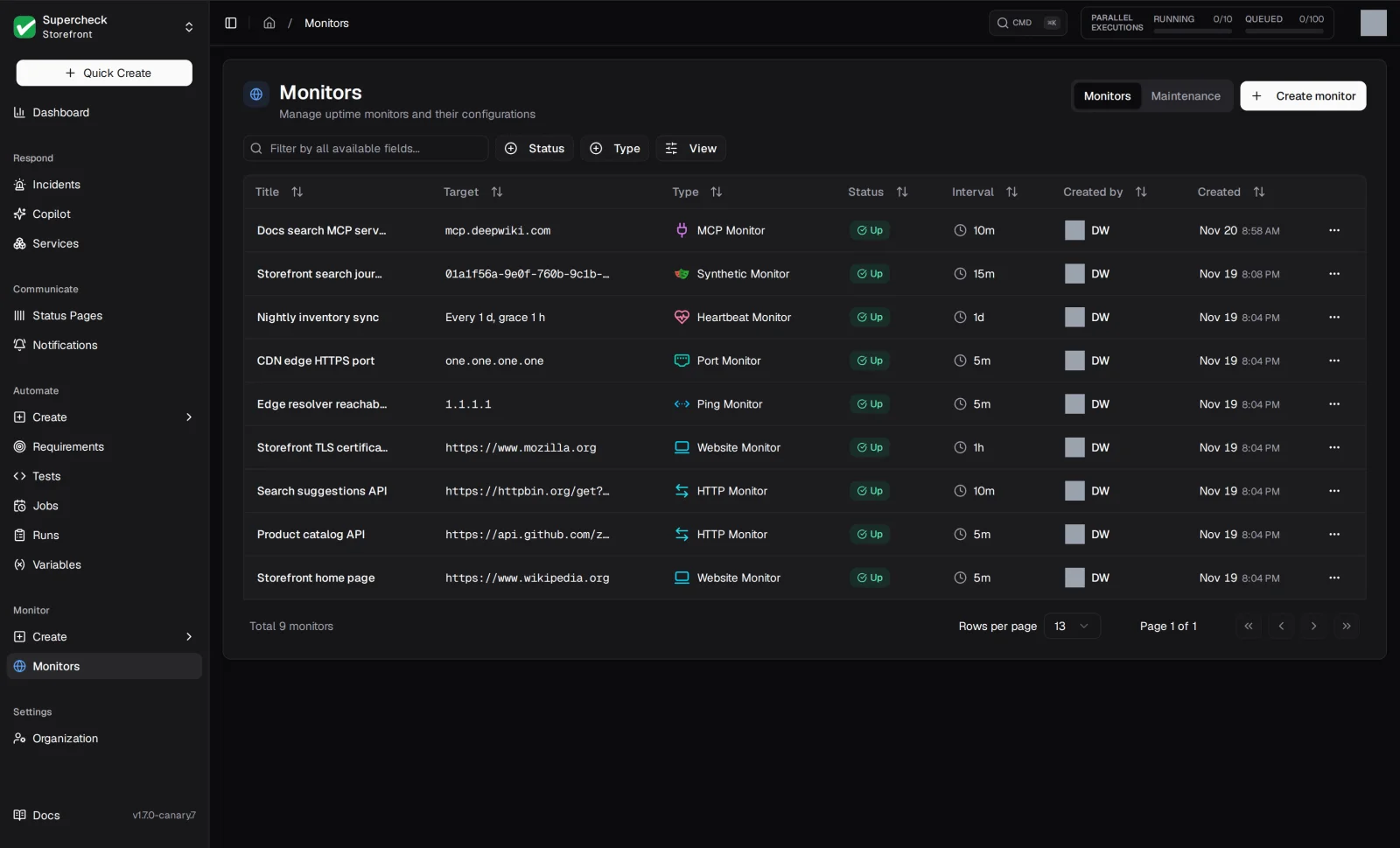
Know when something breaks before your users tell you.
- HTTP, website, ping and port checks
- Checks from Europe, North America and Asia Pacific on Cloud
- Synthetic monitors that replay Playwright journeys
- Thresholds that cut noisy alerts
Respond
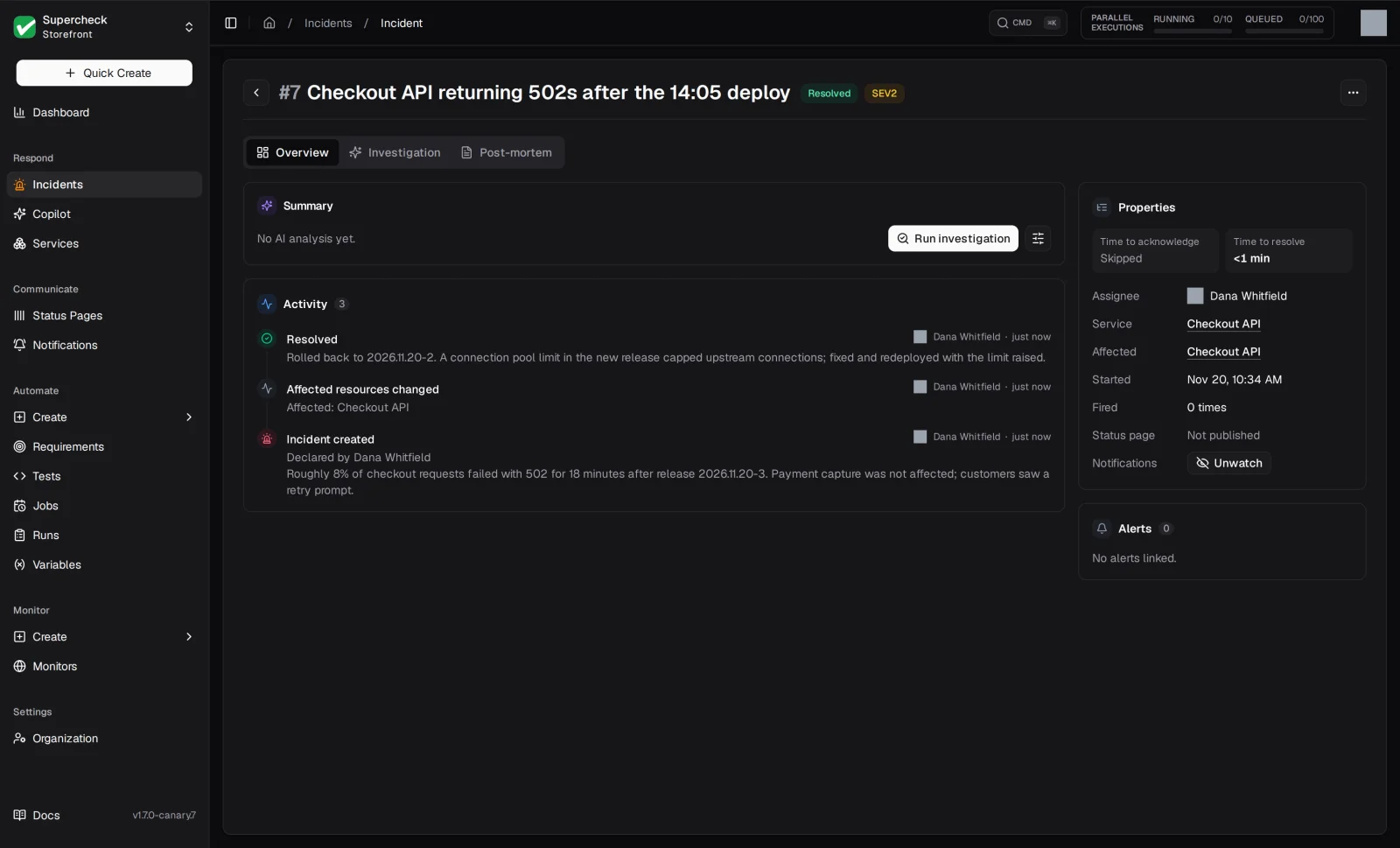
Failing checks with alerts on open an incident you can work from.
- One incident per failing source, resolved on recovery unless acknowledged
- AI SRE investigations that cite evidence
- Copilot chat and a service catalog
- Read-only connectors: GitHub, Kubernetes, Prometheus, Grafana, Sentry, Datadog
- Private Agent for internal systems
Communicate
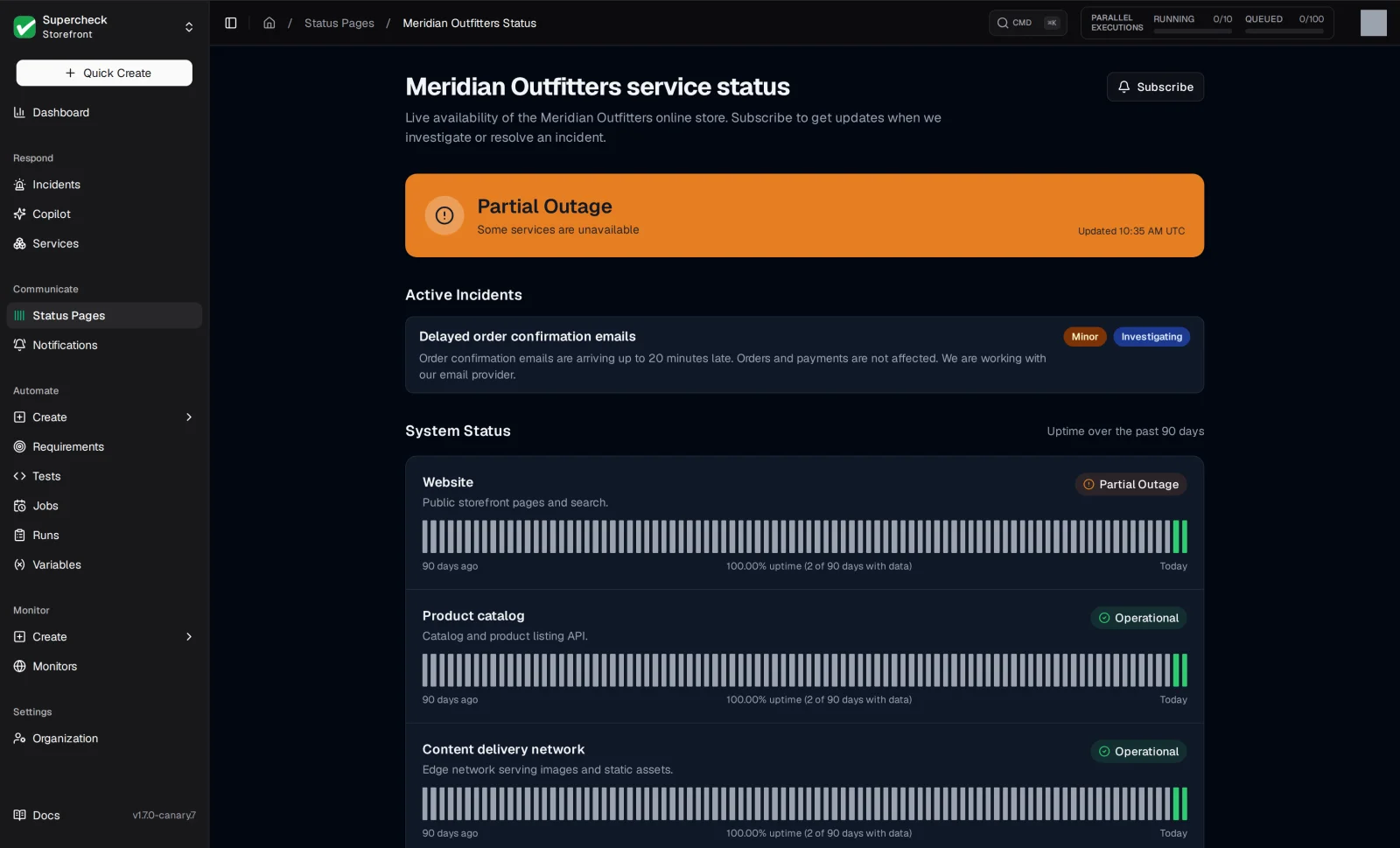
Tell your team first, then tell your users.
- Notifications by email, Slack, Teams, Discord, Telegram and webhooks
- Public status pages on your own domain
- Email, Slack, webhook, RSS and calendar subscribers
Solutions
Built for the people who keep software working
How developers, SRE, QA and engineering leaders use Supercheck.
As code
Keep tests and monitors in your repository
Define tests, monitors and jobs in one TypeScript file. Review in pull requests, deploy from your terminal or CI.
| Command | What it does |
|---|---|
| supercheck pull | Export what already exists in a project |
| supercheck diff | Preview what a deploy would change |
| supercheck deploy | Apply the configuration |
Ask your AI tools about it
An MCP server, read-only by default, lets Claude, Cursor and VS Code read tests, runs, monitors and incidents. Off by default when self-hosting.
import { defineConfig } from '@supercheck/cli'

export default defineConfig({
  schemaVersion: '1.0',
  project: { organization: '<org-id>', project: '<project-id>' },
  tests: {
    playwright: { testMatch: '_supercheck_/playwright/**/*.pw.ts' },
    k6: { testMatch: '_supercheck_/k6/**/*.k6.ts' },
  },
  monitors: [
    {
      name: 'API health',
      type: 'http_request',
      target: 'https://api.example.com/health',
      frequencyMinutes: 5,
    },
  ],
  jobs: [
    {
      name: 'Nightly E2E suite',
      tests: ['_supercheck_/playwright/checkout.pw.ts'],
      jobType: 'playwright',
      cronSchedule: '0 2 * * *',
    },
  ],
})
Deployment
Run it on your servers or ours
Isolated by default
Tests run in Kubernetes workloads sandboxed with gVisor. Private networks, mail ports and cluster control ports are blocked.
How execution is isolatedSelf-host for free
Open source under AGPLv3. Run it with Docker Compose and K3s, with no license fee or usage limits.
Self-hosting guideOr let us run it
Managed hosting with monitoring in Europe, North America and Asia Pacific. Coming soon; join the waitlist.
See Cloud plansClick through a real workspace
Sample data, no sign-up.