
Performance Test
k6 load testing from multiple regionsEdit
Run k6 performance tests to validate your application under load. Execute from multiple regions worldwide.
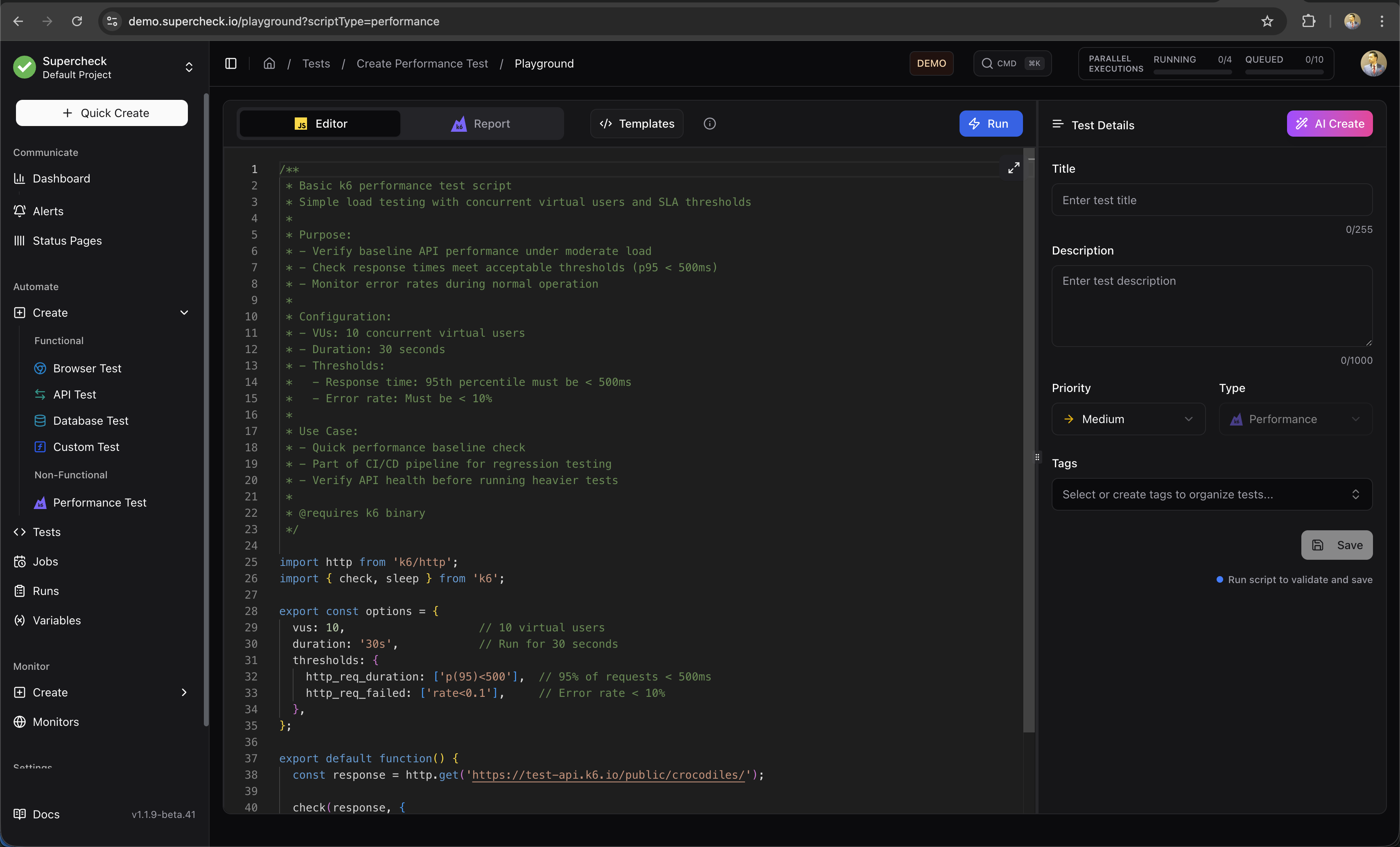
Create Test
- Go to Create → Performance Test
- Write k6 script in the editor
- Configure load profile (VUs, duration)
- Select regions for distributed testing
- Run and analyze results
Multi-Location Testing
Run tests from different geographic locations to measure global performance.
Dynamic Locations: Available execution locations are managed through the Super Admin panel. When only one location is available, the location selector is automatically hidden and tests run from the default location.
Execution Context:
- Playground: When multiple project-available locations are available, select a specific location. The "Global" option is shown only when the project is not restricted to specific locations. When only one location exists, tests run automatically without a location prompt.
- Jobs: K6 jobs execute from the project's requested location when provided, otherwise they fall back to the project's default available location.
- Worker availability: The location picker shows live worker status via heartbeat. If a selected K6 location is enabled but currently offline, the run stays queued until a matching worker starts processing that queue.
Self-Hosted Deployments: By default, self-hosted instances have a single local location. Tests execute from your worker. To enable multi-location testing, deploy additional workers and add locations via the Super Admin panel.
Example Script
/**
 * Ramping load profile to mirror real traffic patterns.
 *
 * Purpose:
 * - Simulate a gradual increase in traffic (ramp-up)
 * - Hold traffic at peak load (steady state)
 * - Gradually decrease traffic (ramp-down)
 *
 * Configuration:
 * - Stages:
 *   1. Ramp up to 10 VUs over 2 minutes
 *   2. Ramp up to 50 VUs over next 5 minutes
 *   3. Ramp up to 80 VUs over next 3 minutes
 *   4. Ramp down to 0 VUs over 2 minutes
 * - Thresholds: Strict latency and error limits
 *
 * @see https://grafana.com/docs/k6/latest/using-k6/scenarios/
 */
import http from 'k6/http';
import { check } from 'k6';

export const options = {
  stages: [
    { duration: '2m', target: 10 },   // Ramp-up to 10 VUs
    { duration: '5m', target: 50 },   // Increase to 50 VUs
    { duration: '3m', target: 80 },   // Peak load at 80 VUs
    { duration: '2m', target: 0 },    // Ramp-down
  ],
  thresholds: {
    http_req_failed: ['rate<0.02'],              // Error rate < 2%
    http_req_duration: ['p(95)<600', 'p(99)<1200'], // Latency thresholds
    checks: ['rate>0.95'],                       // 95% of checks pass
  },
};

export default function () {
  const baseUrl = 'https://test-api.k6.io';
  const response = http.get(baseUrl + '/public/crocodiles/');

  check(response, {
    'status is 200': (res) => res.status === 200,
    'p95 under budget': (res) => res.timings.duration < 600,
  });
}Streaming Logs
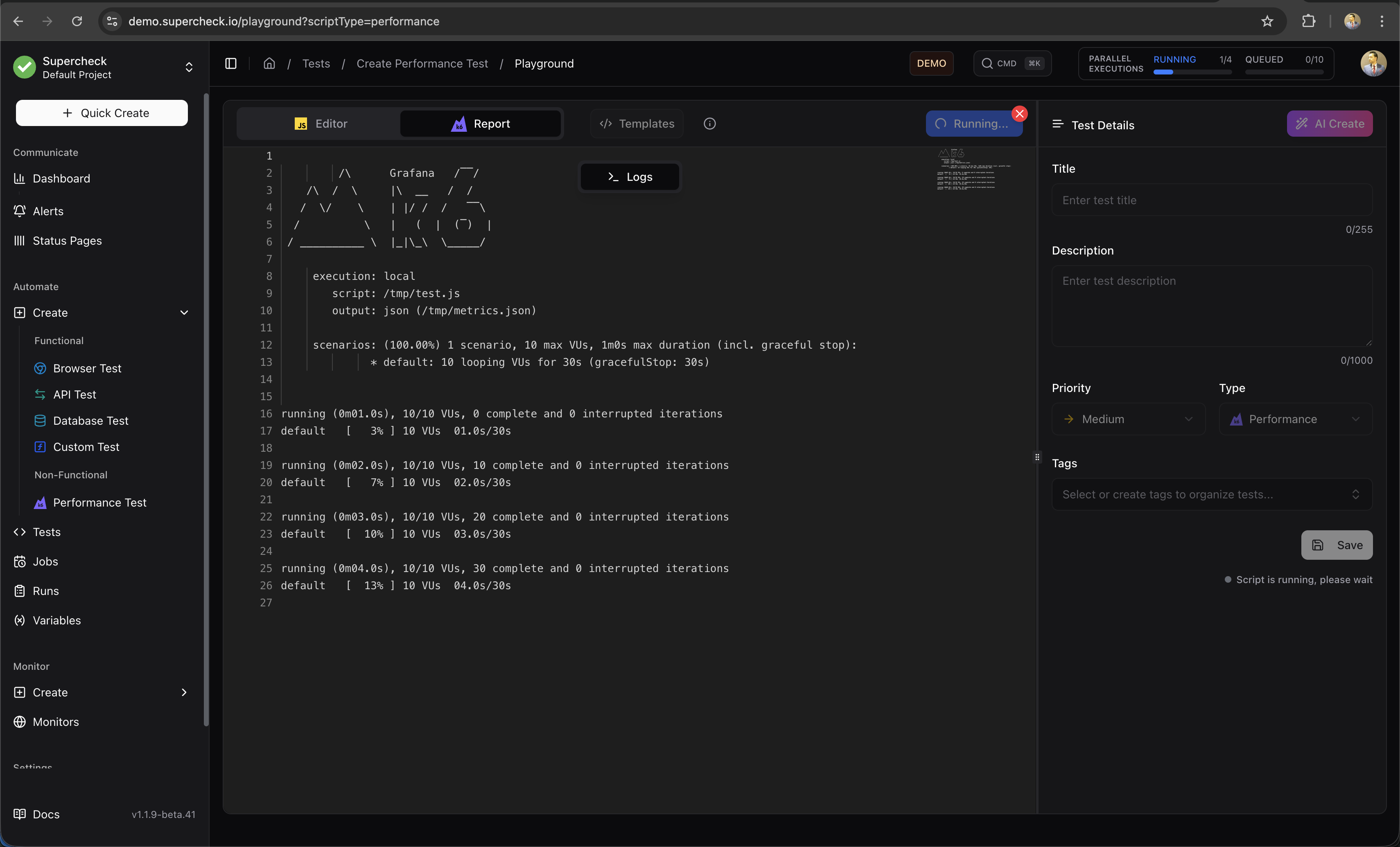
Watch real-time execution logs as the test runs.
Results & Logs
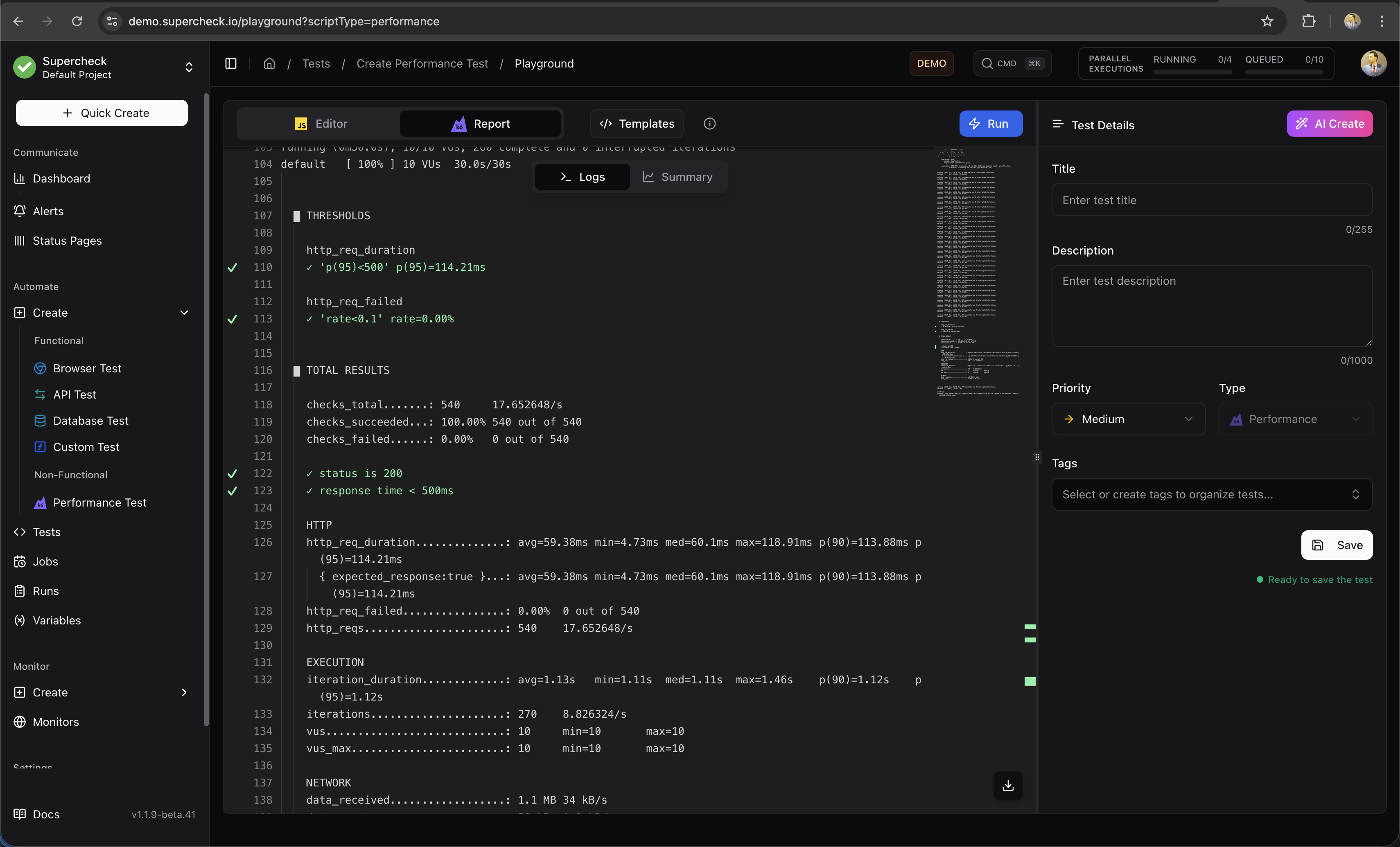
View detailed logs after test completion.
Reports
Analyze performance metrics after the test completes.
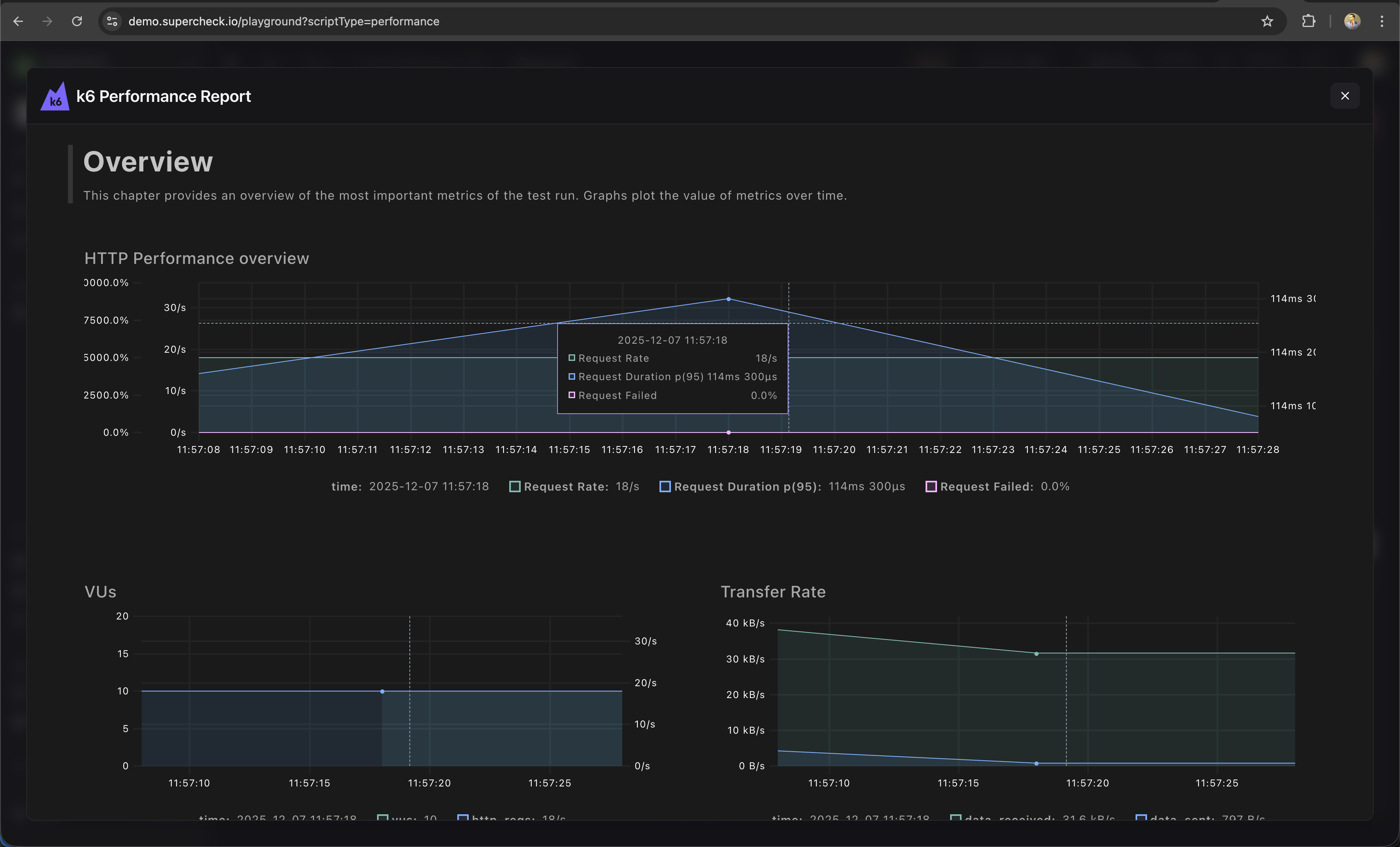
Metrics include:
- Request rate — Requests per second
- Response time — p50, p95, p99 latencies
- Error rate — Failed requests percentage
- Throughput — Data transferred
Load Profiles
| Profile | Use Case |
|---|---|
| Smoke | 1-2 VUs, 1 min — Verify script works |
| Load | 10-50 VUs, 5-10 min — Normal load |
| Stress | 100+ VUs, 10-30 min — Find breaking point |
| Spike | Sudden ramp, 5 min — Handle traffic bursts |
Thresholds
Set pass/fail criteria:
/**
 * Thresholds define pass/fail criteria for your test.
 * @see https://grafana.com/docs/k6/latest/using-k6/thresholds/
 */
thresholds: {
  http_req_duration: ['p(95)<500'],  // 95% under 500ms
  http_req_failed: ['rate<0.01'],    // Less than 1% errors
}Using Variables
/**
 * Using project variables and secrets in k6 tests.
 * Secrets are resolved at runtime and redacted from logs.
 * For uploaded datasets, load them in init context with open(getFile()).
 */
import { SharedArray } from 'k6/data';

const users = new SharedArray('users', () =>
  open(getFile('USERS_CSV'))
    .split('\n')
    .slice(1)
    .filter(Boolean)
);

export default function () {
  const baseUrl = getVariable('API_URL');
  const apiKey = getSecret('API_KEY');

  const response = http.get(`${baseUrl}/protected`, {
    headers: { Authorization: `Bearer ${apiKey}` }
  });

  check(response, { 'status is 200': (r) => r.status === 200 });
}
Learn More
- k6 Documentation — Complete k6 guide
- k6 HTTP Requests — Making HTTP calls
- k6 Thresholds — Pass/fail criteria
- k6 Checks — Response validation