
Variables
Store configuration and secrets securelyEdit
Variables let you store configuration values and sensitive credentials that your tests can access at runtime. Use variables for URLs, timeouts, and settings. Use secrets for API keys, passwords, and tokens that need encryption.
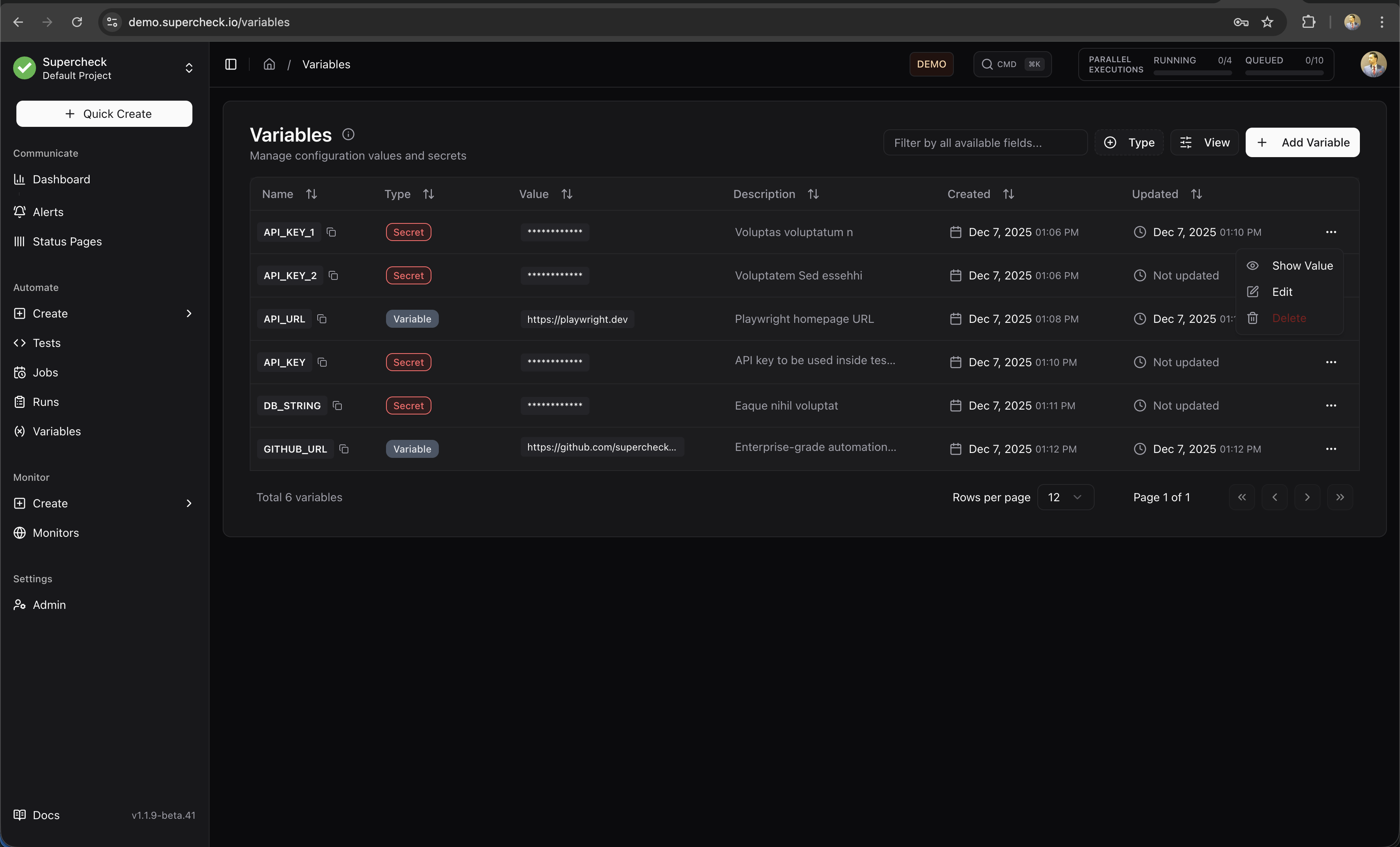
Variables vs Secrets
- Storage: Plain text
- Visibility: Shown in UI
- Logging: Logged normally
- Use For: URLs, timeouts, feature flags
- Storage: AES-128-GCM encrypted
- Visibility: Masked with
*** - Logging: Auto-redacted as
[SECRET] - Use For: API keys, passwords, tokens
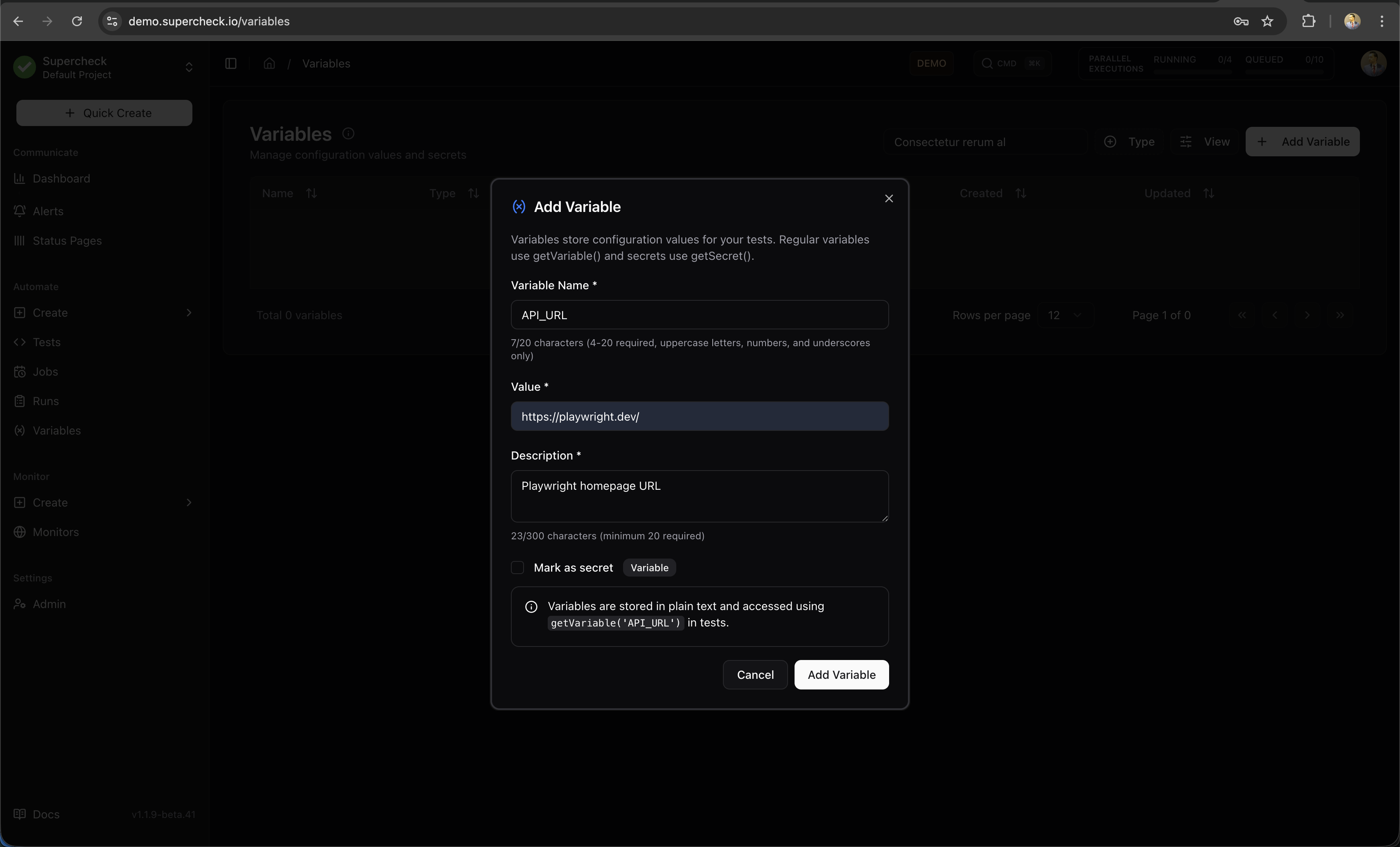
Creating Variables
- Go to your project's Variables page
- Click Add Variable
- Enter a key (e.g.,
BASE_URL) - Enter the value (e.g.,
https://staging.example.com) - Optionally add a description for your team
- Click Save
- Go to your project's Variables page
- Click Add Variable
- Enter a key (e.g.,
API_KEY) - Enter the value
- Check the Secret checkbox
- Click Save
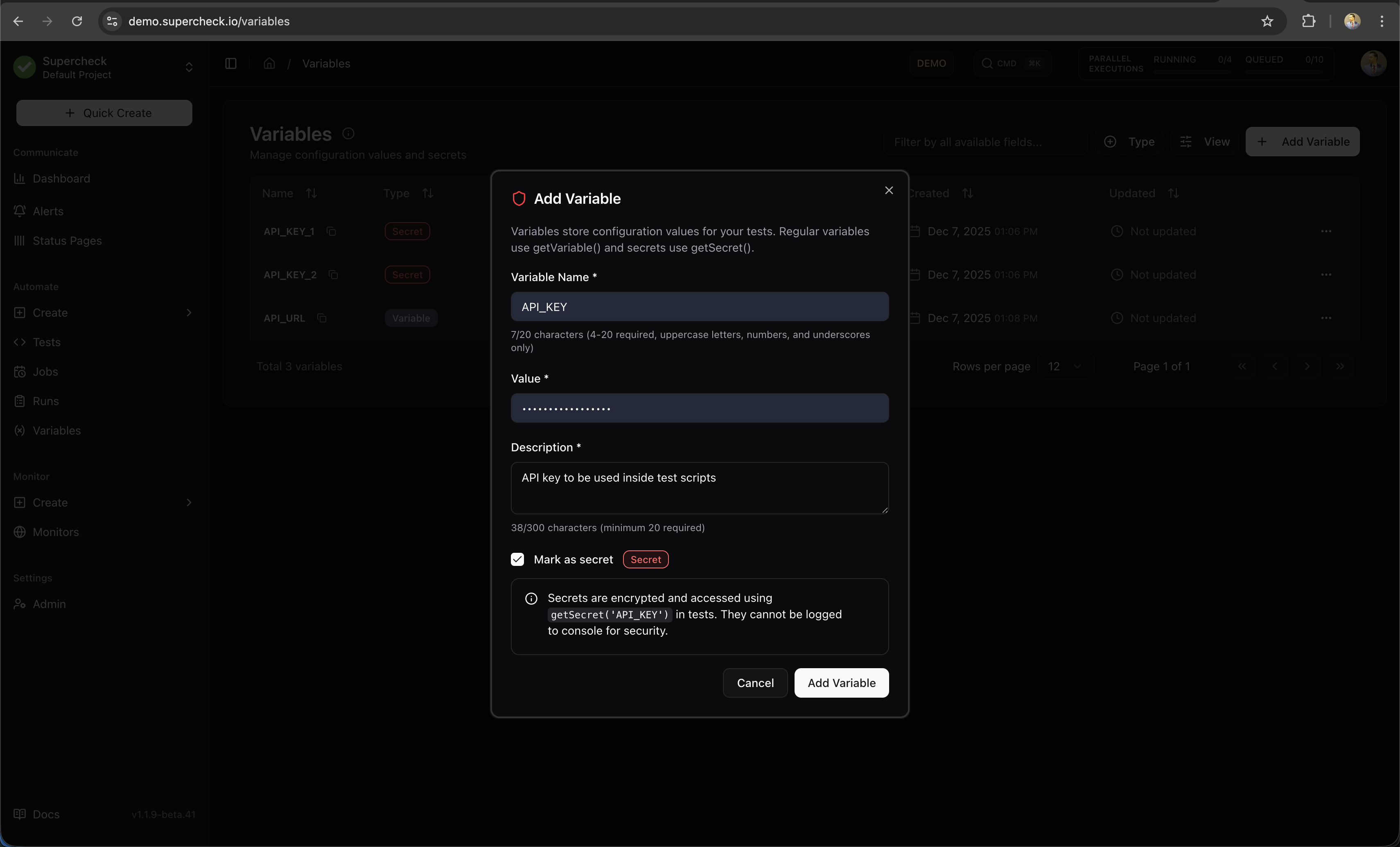
Once saved, secret values cannot be viewed in the UI. You can only update or delete them.
Using Variables in Tests
Access variables and secrets in your test code using the built-in functions:
Use for non-sensitive configuration:
/**
 * Variables store plain-text configuration values.
 * Use getVariable() to retrieve them in your tests.
 */

// Basic usage
const baseUrl = getVariable('BASE_URL');
const timeout = getVariable('TIMEOUT');

// Navigate using variable
await page.goto(baseUrl + '/login');
Use for sensitive credentials. Always call .toString() to get the actual value:
/**
 * Secrets are encrypted and require .toString() to access the value.
 * This ensures secrets are protected from accidental logging.
 */

// API authentication
const apiKey = getSecret('API_KEY').toString();
await page.setExtraHTTPHeaders({
  'Authorization': `Bearer ${apiKey}`
});

// Form login
const password = getSecret('TEST_PASSWORD').toString();
await page.fill('#password', password);

// Database connection
const dbPassword = getSecret('DB_PASSWORD').toString();
Always use .toString() when reading secrets. Without it, the secret object won't expose the actual value in most contexts.
Secret Protection
Secrets are automatically protected from accidental exposure:
/**
 * Secret values are masked in logs and console output.
 * The actual value is only accessible via .toString().
 */

// These all show [SECRET] instead of the actual value
console.log(getSecret('API_KEY'));           // "[SECRET]"
console.log(`Key: ${getSecret('API_KEY')}`); // "Key: [SECRET]"
JSON.stringify({ key: getSecret('API_KEY') }); // {"key":"[SECRET]"}

// Use .toString() to get the actual value for operations
const actualKey = getSecret('API_KEY').toString();
Secrets work normally in:
- Playwright actions (
page.fill(),page.click()) - HTTP headers and request bodies
- URL parameters
- Comparisons and conditionals
Common Patterns
/**
 * Load environment-specific configuration.
 * Store different URLs for staging vs production.
 */
const env = getVariable('ENVIRONMENT'); // 'staging' or 'production'
const baseUrl = getVariable(`${env.toUpperCase()}_URL`);

await page.goto(baseUrl);
/**
* Authenticated API request using Playwright's request context.
* @see https://playwright.dev/docs/api-testing
*/
const apiUrl = getVariable('API_URL');
const apiToken = getSecret('API_TOKEN').toString();
const apiKey = getSecret('API_KEY').toString();
const response = await request.get(apiUrl + '/users', {
headers: {
'Authorization': `Bearer ${apiToken}`,
'X-API-Key': apiKey
}
});/**
* PostgreSQL database connection with secure credentials.
* @requires pg - PostgreSQL client for Node.js
*/
import { Pool } from 'pg';
const pool = new Pool({
host: getVariable('DB_HOST'),
port: parseInt(getVariable('DB_PORT')),
database: getVariable('DB_NAME'),
user: getVariable('DB_USER'),
password: getSecret('DB_PASSWORD').toString()
});/**
* Conditional test logic based on feature flags.
* Useful for testing different UI versions.
*/
const featureEnabled = getVariable('ENABLE_NEW_CHECKOUT') === 'true';
if (featureEnabled) {
await page.click('[data-testid="new-checkout"]');
} else {
await page.click('[data-testid="classic-checkout"]');
}/**
* Using variables in k6 load tests.
* Variables are injected at runtime.
* @see https://grafana.com/docs/k6/latest/using-k6/http-requests/
*/
import http from 'k6/http';
export default function () {
const baseUrl = getVariable('API_URL');
const apiKey = getSecret('API_KEY').toString();
http.get(`${baseUrl}/protected`, {
headers: { Authorization: `Bearer ${apiKey}` }
});
}Variable Naming Conventions
Use clear, consistent naming for your variables:
| Pattern | Example | Use For |
|---|---|---|
SCREAMING_SNAKE_CASE | BASE_URL, API_KEY | Standard convention |
ENV_SPECIFIC | STAGING_URL, PROD_API_KEY | Environment-specific values |
SERVICE_NAME | STRIPE_API_KEY, SENDGRID_KEY | Third-party service credentials |
Recommended variable names:
| Variable | Description |
|---|---|
BASE_URL | Application base URL |
API_URL | API endpoint base URL |
TIMEOUT | Default timeout in milliseconds |
TEST_USER_EMAIL | Test account email |
TEST_USER_PASSWORD | Test account password (secret) |
API_KEY | API authentication key (secret) |
DB_CONNECTION_STRING | Database connection (secret) |
Security Features
- Secrets are encrypted using AES-128-GCM with authenticated encryption
- Encryption keys are derived per-project using HKDF-SHA256
- Values are encrypted at rest in the database
Variables follow your project's role-based permissions:
| Role | View | Create | Edit | Delete | View Secret Values |
|---|---|---|---|---|---|
| Owner | ✅ | ✅ | ✅ | ✅ | ✅ |
| Admin | ✅ | ✅ | ✅ | ✅ | ✅ |
| Editor | ✅ | ✅ | ✅ | ❌ | ✅ |
| Viewer | ✅ | ❌ | ❌ | ❌ | ❌ |
All variable operations are logged:
- Who created, updated, or deleted variables
- When changes were made
- Variable keys (not secret values)